10 Best Smart Camera Sunglasses for Global Buyers
Table of Contents
- What Are Smart Camera Sunglasses and How Do They Work?
- Key Features to Compare Before Buying Smart Camera Sunglasses
- The 10 Best Smart Camera Sunglasses for Global Buyers
- Regional Compatibility, Privacy Rules, and Product Availability
- How to Choose the Right Smart Camera Sunglasses for Your Needs
- FAQS
- Conclusion
- Related Posts
Smart Camera Sunglasses are moving from novelty gadgets toward practical wearable tools. Their tiny cameras can record a walking tour, capture a family moment, or support hands-free visual notes. However, better-looking frames do not always mean better performance.
Market research reflects this growing interest. Grand View Research identifies smart glasses as a fast-expanding wearable technology segment, driven by artificial intelligence, mobile connectivity, and lightweight hardware. Counterpoint Research has also reported strong momentum for AI-enabled smart glasses, especially products combining cameras, speakers, voice assistants, and smartphone applications. IDC’s augmented and virtual reality research shows a broader shift toward everyday spatial and wearable computing, although smart camera sunglasses remain a distinct category.
The direction is clear.
Meta CTO Andrew Bosworth described glasses as “the ideal form factor for AI.” That view helps explain the category’s appeal: glasses stay close to the user, leave both hands free, and can deliver information without a bright screen. Yet the experience is not flawless. Battery life may disappoint during long outings. Audio can weaken in busy streets. Camera indicators, data storage, and voice recording also require careful attention.
This guide examines the 10 Best Smart Camera Sunglasses for Global Buyers. It compares image quality, stabilization, microphone performance, comfort, lens options, app support, charging, and price. It also considers privacy-friendly design and regional availability. Buyers should check local recording rules before use, particularly in workplaces, schools, transport hubs, and private spaces. Product specifications change quickly, so some rankings may age sooner than expected. That uncertainty deserves honesty.
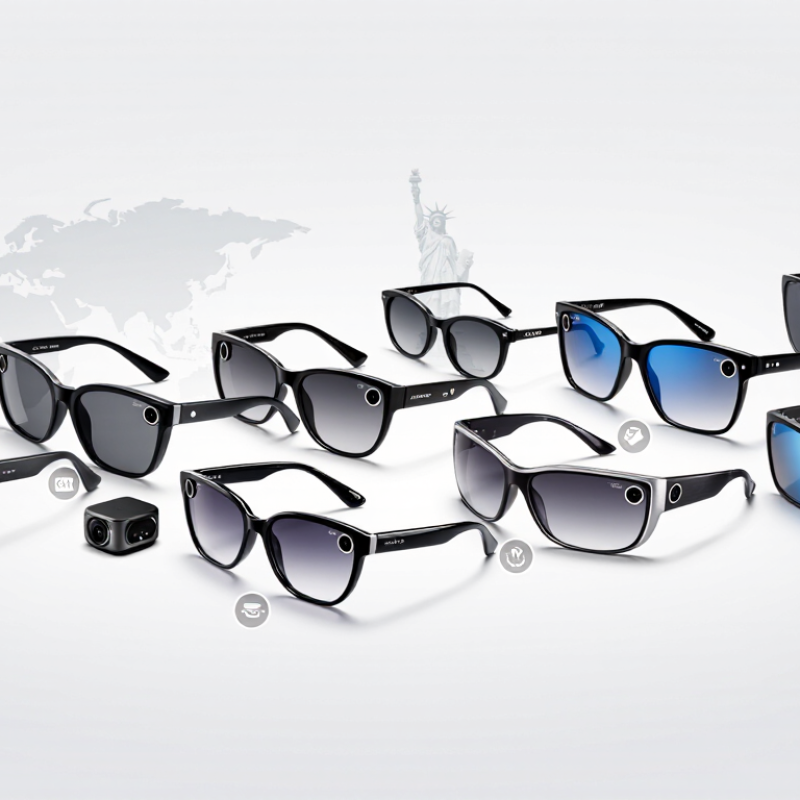
What Are Smart Camera Sunglasses and How Do They Work?
Smart camera sunglasses combine ordinary eyewear with a miniature camera, microphone, processor, and rechargeable battery. The camera usually sits near the frame corner. It captures what the wearer sees, while the processor compresses video and stores it locally or sends it to a paired phone. Some models also support voice commands, wireless audio, and hands-free calls.
The controls are usually simple. A small button starts recording, and an indicator light may show when the camera is active. This light matters because people nearby should not be recorded secretly. Users should ask for permission in private settings and check local privacy rules before filming. Video quality depends on lighting, lens position, stabilization, and storage capacity. Bright streets may produce sharp footage, while indoor scenes can look grainy.
Battery life is another practical concern. Continuous recording can drain a small battery within hours. Heat may also affect comfort during long use. In my assessment, these glasses are useful for travel notes, outdoor memories, and accessibility support, but they are not a replacement for a dedicated camera. The controls can feel awkward at first. Voice recognition may fail in wind or crowded places. Buyers should examine camera resolution, recording limits, charging methods, data protection, and return policies before choosing a pair.
10 Best Smart Camera Sunglasses for Global Buyers
What Are Smart Camera Sunglasses and How Do They Work?
Smart camera sunglasses combine a miniature camera, microphone, processor, battery, and wireless connection inside an eyewear frame. The camera captures photos or video, while the processor encodes the footage and sends it to a connected smartphone or storage system through a companion application.
The chart compares common widescreen video resolutions using their approximate 16:9 pixel counts. These values are calculated from standard resolution dimensions: higher resolutions provide more image detail but generally require more storage, processing power, and battery capacity.
Key Features to Compare Before Buying Smart Camera Sunglasses
Smart camera sunglasses should be compared by more than headline camera resolution. Check video resolution, frame rate, stabilization, and field of view; shaky footage can make sharp-looking specifications less useful. Ask how long the camera records continuously, not just how many hours the battery lasts. Battery life varies with recording, wireless transfers, and audio use. Small detail. Confirm whether clips save locally, how much storage is available, and whether files transfer easily to your phone.
Comfort matters during a full afternoon outdoors. Compare frame weight, nose-pad fit, lens options, and the stated water- and dust-resistance rating. Try them on if possible; a slight pressure point can become annoying quickly.
Microphone quality and wind handling also deserve attention for clear voice recordings. Counterpoint Research reported that global smart-glasses shipments rose 210% year over year in the first half of 2025.
That surge makes careful comparison more useful, not less: product categories can differ widely in recording features and companion-app support. Before buying, test the pairing process and move a short clip to your phone.
I would not choose by megapixels alone.
A bright outdoor display, reliable controls, and a comfortable fit may matter more in daily use. One trade-off remains. More recording time can mean more frequent charging.
The 10 Best Smart Camera Sunglasses for Global Buyers
Choosing among the 10 best smart camera sunglasses for global buyers starts with the way you plan to use them. A traveler may value a lightweight frame and quick controls, while a cyclist may need a secure fit and steady footage. Compare camera performance in bright sun and shade, microphone clarity, battery life, and storage options. Published specifications help, but real-world results can differ.
Small details matter. Check for documented UV protection, lens choices suited to your climate, and compatibility with prescription lenses if needed. A clear recording indicator, straightforward privacy controls, and an app available in your language can make daily use easier. Buyers crossing borders should also check local recording rules, import requirements, and charging compatibility. Ask before filming people in situations where they expect privacy.
No single pair fits every face or routine. Frames can feel heavier after an hour, and video recording may drain the battery faster than casual use suggests. That trade-off is easy to overlook. A useful top-ten comparison should weigh comfort, repair support, warranty coverage, and return terms alongside camera features. Treat impressive sample footage cautiously; lighting and editing can make results look better than ordinary use.
Regional Compatibility, Privacy Rules, and Product Availability
10 Best Smart Camera Sunglasses for Global Buyers
Regional compatibility can decide whether smart camera sunglasses work beyond the sales page. Check charging standards, wireless frequencies, app availability, and language support before ordering. A model designed for one region may lose features elsewhere. Some companion apps use regional accounts or restrict cloud services. Confirm the seller’s return address and warranty coverage. A low price means little if repairs require overseas shipping. Ask for clear certification details, not vague “global version” claims.
Privacy rules also vary widely. A camera indicator should remain visible during recording, even in bright sunlight. Check whether the glasses store footage locally or upload it automatically. Local storage may reduce exposure, but it can be lost or stolen. Cloud storage may offer convenience, yet retention periods deserve attention. Recording people without permission can create serious problems in workplaces, schools, shops, or public transport. When uncertain, ask before filming. That simple habit matters.
Product availability changes quickly. Retail listings may show stock while regional inventory is already exhausted. Compare estimated delivery dates, import charges, replacement parts, and software support periods. Reviews from buyers in your country often reveal practical faults, such as incompatible plugs or delayed updates. I would also test microphone clarity outdoors, not only in a quiet room. That detail is easy to miss. No checklist is perfect, and online specifications can be incomplete. A careful buyer should verify essential features with the manufacturer or authorized seller before paying.
10 Best Smart Camera Sunglasses for Global Buyers - Regional Compatibility, Privacy Rules, and Product Availability
How to read this shortlist: These are ten camera-sunglasses product types, not brand or model rankings. Camera resolution, recording limits, app support, and availability differ by exact product and region; confirm the current specifications before purchase.
| Shortlist entry | Camera and core features | Phone and regional compatibility | Availability and buying notes | Privacy considerations | Best suited to |
|---|---|---|---|---|---|
| 1. Everyday camera-and-audio glasses | Common consumer configurations include a wide-angle camera, still-photo capture, short video recording, microphones, and open-ear speakers. Resolution and clip limits vary by model. | Usually requires a companion app and Bluetooth; some features also use Wi-Fi. Check the app’s availability and supported iOS or Android versions in the destination country. | One of the more established product categories, but sales and app features are not universal. Verify local warranty, language support, and replacement parts. | Look for a visible recording indicator and a clear way to stop capture. Recording others may be restricted by local privacy, workplace, or venue rules. | Hands-free photos, brief clips, calls, and audio during everyday use. |
| 2. Newer-generation camera-and-audio glasses | Some newer releases offer higher-resolution video, improved stabilization, or longer recording options than earlier generations. Do not assume all generations share the same camera specification. | App and feature support can depend on the phone operating system, account region, and locally enabled services. | Availability may be limited to selected countries at launch. Check whether the seller provides a local return address and warranty coverage. | Higher-quality or longer recordings increase the risk of capturing people without their knowledge. Review indicator behavior and app sharing settings. | Buyers who prioritize newer capture features and can confirm local support. |
| 3. 3D-capture smart spectacles | Designed for spatial or 3D capture, typically using more than one camera. Capture format and viewing requirements are product-specific. | Editing or viewing may require a compatible phone, app, or display platform; cross-platform support should be checked before buying. | Often a niche or limited-release category rather than a widely stocked sunglasses option. Confirm whether the product is sold to general consumers in your region. | Multiple cameras can capture a wider scene. Follow local consent requirements, especially in public spaces and around children. | Creators interested in immersive or spatial memories rather than simple point-and-shoot video. |
| 4. AI camera glasses with a removable camera module | Some designs separate the camera module from the frame or allow modules to be changed. AI functions may depend on cloud services and are not necessarily available offline. | Check whether the required assistant and cloud services operate in your country, support your preferred language, and work with your phone. | Availability and module compatibility can be narrow. Confirm that camera modules, lenses, and replacement frames are sold separately where you live. | Review what images or audio are uploaded, how long data is retained, and whether cloud processing can be disabled. | Buyers who want configurable hardware and are comfortable checking app and service availability. |
| 5. Display-equipped camera glasses | Combines a camera with an in-lens or near-eye display. Camera resolution, display brightness, and operating system vary widely across products. | May require a specific mobile platform, enterprise software, or regional app store access. Confirm language, network, and phone compatibility. | More common in specialist or business channels than in ordinary sunglasses retail. Ask about professional support and software-update periods. | Check whether the display or camera has a recording indicator. Workplace policies may restrict wearable cameras even when recording is not obvious. | Field work, guided instructions, or specialist applications where a display is useful. |
| 6. Sports camera sunglasses | Built for active use; products range from basic video capture to higher-resolution action-camera-style recording. Water resistance and stabilization are model-specific. | Some transfer files through a phone app; others use removable storage or a cable. Check the exact transfer method and supported file formats. | Often sold through sports or online retailers, but lens options and replacement parts may be region-dependent. Confirm the stated water-resistance rating. | Do not assume an activity setting makes recording legally exempt. Be especially cautious when filming other people in gyms, pools, or organized events. | Cycling, hiking, and other activities where hands-free recording is useful. |
| 7. Prescription-compatible camera sunglasses | Camera and audio features depend on the underlying electronics; prescription availability is a frame or lens-service option, not a standard feature of every model. | Confirm that the prescription service supports your prescription, lens type, and country. Check whether replacement lenses affect the camera or sensors. | May require a specialist optical retailer or custom order. Verify return terms because prescription lenses can be non-refundable. | Prescription fitting does not change recording obligations. Check that any recording indicator remains visible after lens or frame servicing. | Wearers who need corrective lenses for daily use and want camera features in the same pair. |
| 8. Polarized outdoor camera sunglasses | Combines camera electronics with sunglass lenses; polarization and UV protection are separate specifications and should be confirmed on the product label. | Wireless and app features vary. Check local app access and whether the device can record without an internet connection. | Outdoor-focused options are available in multiple price tiers, but lens quality and camera performance are not standardized across the category. | Camera use remains subject to local privacy rules. Avoid recording in restricted locations and respect requests not to film. | Outdoor users who want sun protection alongside occasional hands-free capture. |
| 9. Camera glasses with a physical shutter or camera disable control | Some models provide a hardware control to cover or disable the camera; the implementation differs and should be tested in person where possible. | Check whether disabling the camera also disables related app functions, and whether controls work without a phone connection. | Feature availability is product-specific. Ask the seller for documentation showing how the shutter or disable control works. | A physical control can help prevent accidental capture, but it does not replace consent or legal compliance. Confirm that the recording indicator is also present. | Privacy-conscious buyers who want a clear, user-controlled camera off state. |
| 10. Entry-level camera sunglasses | Typically focus on basic photo or video capture, with fewer advanced features. Resolution, stabilization, storage, and battery life vary considerably. | May use a basic phone app, removable storage, or wired transfer. Check supported file formats, charging connector, and phone compatibility. | Often found through online marketplaces; seller reliability, firmware support, and spare-part access can vary. Check the return policy and product documentation. | Do not rely on an unverified privacy indicator or vague data policy. Avoid installing companion apps from unofficial sources. | Occasional, budget-focused use when local support and app requirements have been checked. |
Global buyer checklist: Before ordering, verify local sales and warranty coverage, phone and app compatibility, charging requirements, lens specifications, recording indicators, data-storage settings, and current privacy rules. In regions covered by laws such as the EU GDPR, UK GDPR, Japan’s APPI, or China’s PIPL, recording and handling identifiable people’s data may trigger specific obligations; requirements depend on the circumstances and local law.
How to Choose the Right Smart Camera Sunglasses for Your Needs
Choosing smart camera sunglasses starts with your daily routine, not a feature list. For commuting, prioritize lightweight frames, stable lenses, and simple controls. Outdoor users need glare reduction, balanced weight, and reliable battery performance in bright conditions. Check whether the camera captures steady video while walking. A wide viewing angle helps, but excessive distortion can reduce practical value. Read technical specifications carefully, since recording quality often changes in low light.
Comfort matters more than many buyers expect. Wear the sunglasses for fifteen minutes before purchasing, if possible. Look for adjustable nose pads, secure hinges, and frames that do not press behind your ears. Test the microphone near traffic or light wind. Clear audio is rarely guaranteed. Also examine charging time, storage options, water resistance, and replacement support in your region. Global buyers should confirm electrical compatibility and delivery restrictions before ordering.
Tips: Choose visible recording indicators and respect personal privacy. Check local rules before recording in public or private spaces. Avoid models with unclear data policies. Review how footage is transferred, stored, and deleted. A privacy policy filled with vague language deserves caution. Compare independent reviews, not only seller claims. Remember that touch controls may fail with wet fingers or gloves. I once underestimated lens fogging during temperature changes; that small issue affected daily use more than expected. Test real conditions before trusting polished specifications.
FAQS
Check video resolution, frame rate, stabilization, and viewing angle. Sharp specifications mean little when walking footage shakes. A wide angle can also create visible distortion.
Ask about continuous recording time, not only total battery life. Wireless transfers and audio use can shorten recording time. More recording time may require more frequent charging.
Confirm local storage capacity and phone-transfer methods. Move a short clip before purchasing. Easy transfer matters during daily use.
Wear the sunglasses for about fifteen minutes. Check nose pads, hinge pressure, frame weight, and space behind your ears. Try them on.
Look for glare reduction, stable lenses, balanced weight, and dependable battery performance. Test video while walking in bright conditions. Low-light quality may change noticeably.
Test the microphone near traffic or light wind. Clear audio is not guaranteed. Wind can overwhelm voices, even when video looks sharp.
Review the stated water- and dust-resistance rating. Check charging time and regional electrical compatibility. A suitable rating does not mean careless exposure is safe.
Choose visible recording indicators and review how footage is stored, transferred, and deleted. Check local recording rules before use. Avoid unclear data policies.
Not always. Wet fingers or gloves can make touch controls fail. Physical controls may feel more dependable during rain or outdoor activities.
Lens fogging can appear during temperature changes. I once underestimated it, and it affected daily use more than expected. Real-world testing beats polished specifications.
Conclusion
Smart Camera Sunglasses combine wearable eyewear with compact cameras, microphones, wireless connectivity, and hands-free controls. They can capture photos, record video, support calls, provide voice assistance, and connect with mobile devices through companion applications. This guide explains how the technology works and compares important features such as image quality, battery life, storage, audio performance, comfort, durability, connectivity, controls, and data protection.
It also reviews ten practical Smart Camera Sunglasses options for global buyers without focusing on brand names. Readers will learn how regional availability, language support, network compatibility, warranty coverage, and local privacy requirements can affect the buying decision. The final section helps users select suitable glasses for travel, daily documentation, communication, outdoor activities, or accessibility needs while encouraging responsible use, clear notice to others, and compliance with applicable laws and platform policies.
Blog Tags: